




I’m Offering Free Manuscript Edits
Posted 14th July 2014
Category: Miscellaneous Genres: N/A
4 Comments
This offer has now ended as both spots have been taken. Thank you all for your help in spreading the word, the posts received a rather good number of visitors.
I rarely talk about my editing services on this blog, in part because I wouldn’t want it to distract from the topic here, but I hope you won’t mind me making an allowance this Monday. It is my business’s first birthday and I wanted to celebrate.
From today and until the spots are taken, I’m offering my editing services free to two writers who have a manuscript ready, or nearly ready, for their work to be sent to an editor. Please visit this blog post for details.
I’d be very grateful if you could spread the word on Twitter, Facebook, or wherever other social media sites you frequent. Thank you!
Look Out For Spam Email Subscribers; Check You’re Getting Your Emails
Posted 24th February 2014
Category: Miscellaneous Genres: N/A
4 Comments
The first section of this post is specifically for bloggers, the second section for everyone.
Look Out For Fake Subscribers
I suppose it was bound to happen at some point, but it’s worked for so long you get used to it being fool-proof: it seems spambots have worked out how to sign up to and and then, crucially, how to confirm email subscription to blogs.
I discovered it very recently when I opened my email first thing in the morning and found 5 new subscriber notices. As my blog is hardly the most popular I smelled a rat straight away and sure enough these new subscribers had strings of random letters as their email addresses. None of them had included their name. (Whilst I dithered initially about adding the requirement for a name, this event has proved it’s a good idea.)
I expect that quite a number of people are going to start finding these fake sign ups so here is what I did to confirm my suspicions:
- I did a quick search on Google for the email addresses. In this case all of those I suspected were listed on sites that compile spam email addresses and no other sites came up in the search results.
- After this I logged into my MailChimp account and checked the activity of these ‘people’ – what had they been clicking on? It turned out that there had been traffic to every page linked in the email, including my Twitter account and the Flickr page of the photograph I had used. Every single link in the emailed blog post, baring, surprisingly(!), the unsubscribe link. From here you can delete the spammers. I expect this method is similar for other subscription providers.
You can be pretty sure that if every single link has been followed, the subscriber is a spammer. How many real people will click on every reference, your Twitter link, the link to the original source of the photograph, be from the very same place and have a spammy email address? One in a million, if that.
If you get notifications of new subscribers and you don’t check them all, try and make time to do so. Or, a potentially quicker option, log into the site that hosts your email subscription and check your list of subscribers. I don’t know about other services, but MailChimp is free up to a certain number of subscribers and I don’t know about you but I’d prefer to pay, one day in the far-off future, to send emails to real people who want them than pay right now to send emails to spammers because my subscription form has been attacked by bots inflating my number.
Check You’re Receiving Your Emails
I’m a little late posting this but it’s likely still relevent. Since the recent Gmail tabbed system was rolled out, many blog subscription emails are being placed under the ‘promotions’ tab rather than in the regular, ‘primary’, inbox, so if you subscribe to any sites via email and it seems they’ve stopped sending you blog posts, you may find they’re in your promotions tab, or another tab. This can happen no matter whether the blog is for a site that sells products (shops, for example), or if the blog is just one of thoughts (book blog, personal blog). Whether you’ve noticed a lack of emails you’re interested in or not, it’s worth going to the promotions tab to change the destination of any emails you’d like delivered to your regular inbox. You can do this by dragging on the email and dropping it onto the ‘primary’ tag.
Bloggers: have you found spammers signing up to your site? Readers: are you still getting your emails? (I’m not a Gmail user so I’m interested in hearing about this.)
Subscribe to this site via email and you’ll receive 3 posts a week. If you use Gmail, you may find the posts are stored in your ‘social’ or ‘promotions’ tab.
What Our Small Presses Have In Store For Us
Posted 22nd January 2014
Category: Miscellaneous Genres: N/A
7 Comments
Like many book bloggers, I have a lot of love for independent publishers. The books they tend to publish tend to stay with you and they are inspiring for the work they do compared to the big publishing houses which have many more people.
I have a busy schedule, my editing work and current upheavals have been taking up a lot of my time so I haven’t accepted as many review copies as I have in the past. This and the desire to promote small publishers lead me to form a concept for a post and to write an email to several UK independent presses. (This post is about the UK, but I’d like to create others in future for other countries.)
The idea was this – I wanted a post that wasn’t your typical promotion machine. I wanted a post that was about introducing readers to new titles. I wanted it to be personalised. I think it’s easy to forget, when you’ve read so many press releases and advertisements, that publishers really are passionate about the books they are publishing.
I asked a few people to choose the book they themselves were most excited about publishing in early 2014, and to tell me why they (themselves) were excited. Unfortunately, whilst there was a fair amount of interest I actually only received two opinions. My venture may not have been a big success, but nevertheless the responses were written especially. Here they are:

The representative from Alma Books chose Sweet Dreams, Little One by Massimo Gramellini (coming in March).
Alma’s highlight for spring 2014 has to be Sweet Dreams, Little One by Massimo Gramellini. This novel is already an international bestseller, having been translated into fourteen languages and sold 1.2 million copies in Italy alone, where it has been in the charts since its first publication last year. Alma has always been interested in promoting foreign fiction and we feel this is especially significant in the UK where translated contemporary literature is less sought-after. Sweet Dreams, Little One is the story of a lifelong search for happiness, both funny and touching it traces the journey from childhood to adulthood of a boy who lost his mother early on. Based on the author’s own experience dealing with grief, Massimo Gramellini has created a sensational novel which Alma are proud to publish.
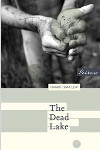
Peirene Press publishes three translated European titles a year, and Meike Ziervogel has described what is so special about Dead Lake by Hamid Ismailov (coming in February).
Like a Grimm’s fairy tale, this story transforms an innermost fear into an outward reality. We witness a prepubescent boy’s secret terror of not growing up into a man. We also wander in a beautiful, fierce landscape unlike any other we find in Western literature. And by the end of Yerzhan’s tale we are awe-struck by our human resilience in the face of catastrophic, man-made, follies.
If you are interested in either (or both) of these books, the links to the publisher page for Sweet Dreams, Little One is here, and Dead Lake is here.
Which books are you looking forward to in 2014?
3 Things You Should Include In Blog Posts (And The Coding To Do It)
Posted 13th January 2014
Category: Miscellaneous Genres: N/A
17 Comments

As someone with a web design background, I often notice the nitty gritty of blog posts, especially since blogging platforms have expanded the possibility of fully-fledged websites to a whole new lot of people, whereas before it was pretty much limited to those who knew how to code. This is brilliant, because being a good writer, photographer, musician, whatever, doesn’t always come with coding knowledge.
From my own blogging and through reading others’ I’ve noted some elements that are ‘necessary’ but may not be obvious when you’re using a template or the visual option in your admin section. They are things I use on an almost daily basis, so you could say I’m biased, but when I see that someone hasn’t taken advantage of something, for whatever reason, I can’t help but want to let them know how they might have altered the technical presentation, the way Google sees things, and the like, for the better.
So here are a few elements that are important to a website, and the basic ways you can implement them.
Title And Alt Tags
You can use ‘tags’ (code) on images to let people know the subject of the photo, and also to alert screen-readers (for blind visitors) to what the image shows. For example, if you’ve a photo of an Oxford college, I may not know it’s Oxford unless you say so in your blog post. And given that we often don’t actually want to talk about the subject of the photo – we merely want the image to add beauty to the post – it can be frustrating to a reader if they like the photograph but have no idea what it is of. Often an image will only quote a number, for instance if you’ve uploaded it straight from a camera.
There’s a very easy way to let readers know what the photo shows without altering the content of your posts, and that is to include the title tag when you add the image to the post. For example, if I were adding a photo of Worcester College in Oxford I would type the following (where “img href” specifies the location of the image):
<img href=”/myimagefolder/image.jpg” title=”Worcester College, Oxford University”>
Here is the result. Hover your mouse over the image.

Similarly, the “alt” tag (“alternative”) helps blind visitors who depend on their browser to read text aloud to them, and it can also be used to tell the browser what the photograph shows in general. It comes into play if an image won’t load – if the browser can’t find the photo, this alternative text will be displayed, so if nothing else readers will know there should be an image there. For example, this is what I use when I include a book cover in a blog post:
<img href=”myimagefolder/50shades.jpg” alt=”Book cover”>
Because I use both “title” and “alt” the final result of the book cover coding will be:
<img href=”myimagefolder/50shades.jpg” title=”E L James: Fifty Shades of Grey” alt=”Book cover”>
Depending on the reason for the photo, I might make my “alt” information similar to the “title” information.
An additional reason for adding these tags, if you want to optimise your blog for search visitors, is that Google and other search engines use the title and alt tags to further understand what your page is about. You’re likely familiar with the idea of keywords – the title and alt tags extend the possibilities for adding your keywords to the post.
Acronyms
You may have noticed that nine times out of ten, any acronyms I use on this site have a dotted line under them. If you hover your mouse over the acronyms you’ll see that the full phrase pops up over the letters. Using this – adding the full term without losing the abbreviation – is great because there will always be acronyms that some people do not know, and including the full phrase means they don’t have to go to Google and search for the meaning. (And searching on Google is difficult in these cases because many people use the same acronyms for different phrases.) Terms like ‘TV’ ‘DVD’ and ‘DNA’ are pretty universal and transcend cultures, but if you think of ‘ARC’, for example, how many casual readers will know that that means ‘Advance Reader Copy’? I know I had to Google it when I first became a book blogger.
If you want to provide acronyms on your blog, the coding is very simple. You include two tags around the acronym itself. The basic structure is full phrase, the acronym itself, then the closing tag. Examples:
<acronym title=”Advance Reader Copy”>ARC</acronym>
<acronym title=”Lord of the Rings”>LOTR</acronym>
To see the result, hover over the following text: ARC.
Using acronyms makes your posts more reader-friendly and limits the chances of you losing readers due to them not being able to understand your book-industry terminology.
The copyright symbol
This is one to use if you want to do things ‘correctly’. It’s easy enough to copy the copyright symbol from, say, a Microsoft Word document, but sometimes an Internet browser won’t show it properly. To combat any issues, there is a simple piece of coding that will produce a text-friendly version:
©
In other words if I’m writing “[copyright symbol] 2013 The Worm Hole” I will type:
© 2013 The Worm Hole.
Result: © 2013 The Worm Hole.
Both the ampersand and semi-colon are important to include, if you don’t include them it’ll simply say “copy”.
So there we are. Three pieces of coding that are easy to remember and use, and will aid your site in being visitor-friendly and search-engine-friendly, too.
What coding elements do you regularly use on your blog?
Christmas 2013
Posted 23rd December 2013
Category: Miscellaneous Genres: N/A
11 Comments
The Worm Hole will be on a break for Christmas and other madness, one part of which I will likely be chronicling soon. I plan to return on Monday 30th December to post my December reading round-up though if not then then I will be back on 1st January (2014 – that’s scary!) with my year round and the What’s In A Name posts. I will be on Twitter during the holidays and may also comment on blogs if time allows.
Merry Christmas to you all!


